How to create a new Unity template from scratch
Steps to make a new template for use in Unity Hub.
#Tutorial #Technical #Unity
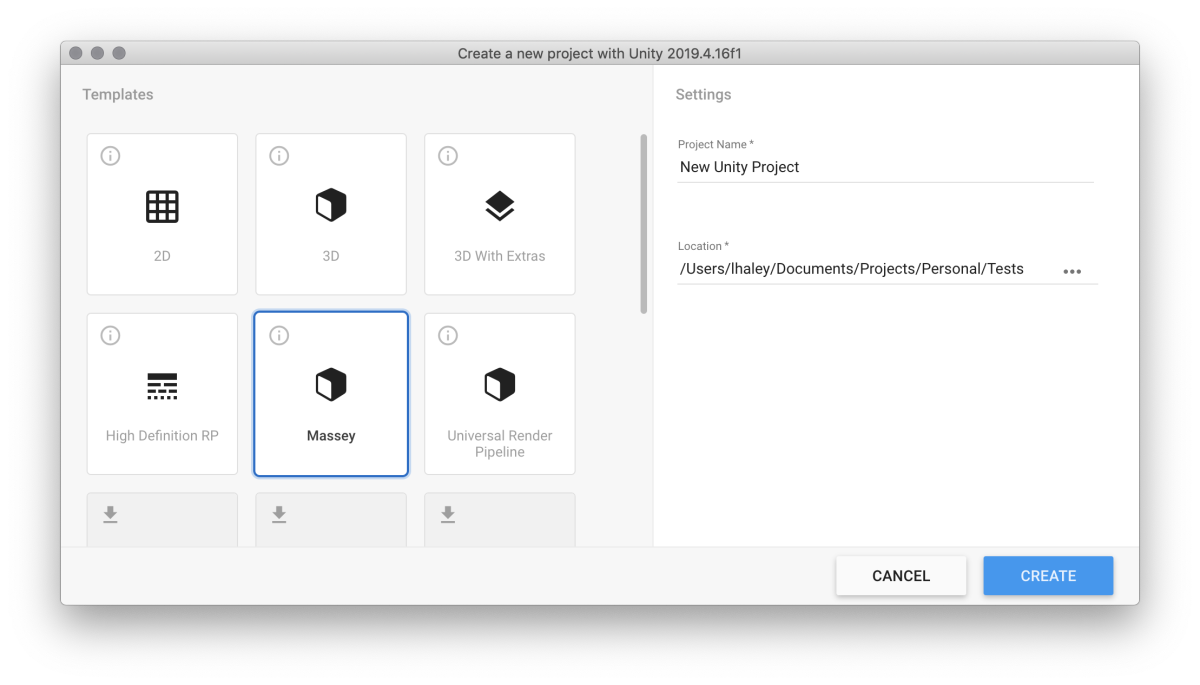
I teach Unity a lot. Whenever I have an intro course, the first thing my students see is the default Unity project – which, to me, has some issues. So a good chunk of the first workshop is taken up with setting up the project correctly. I know I can make a sample project, and distribute that project, but there's something unsatisfying about it. I want to be able to have a good, clean template available from Unity Hub.
Here's how to make that template.
Setting up the project
Unity Hub templates are just Unity projects, with some edits. So the first step is to create a Unity project. Make sure you're using the version of Unity you want to make the template for.
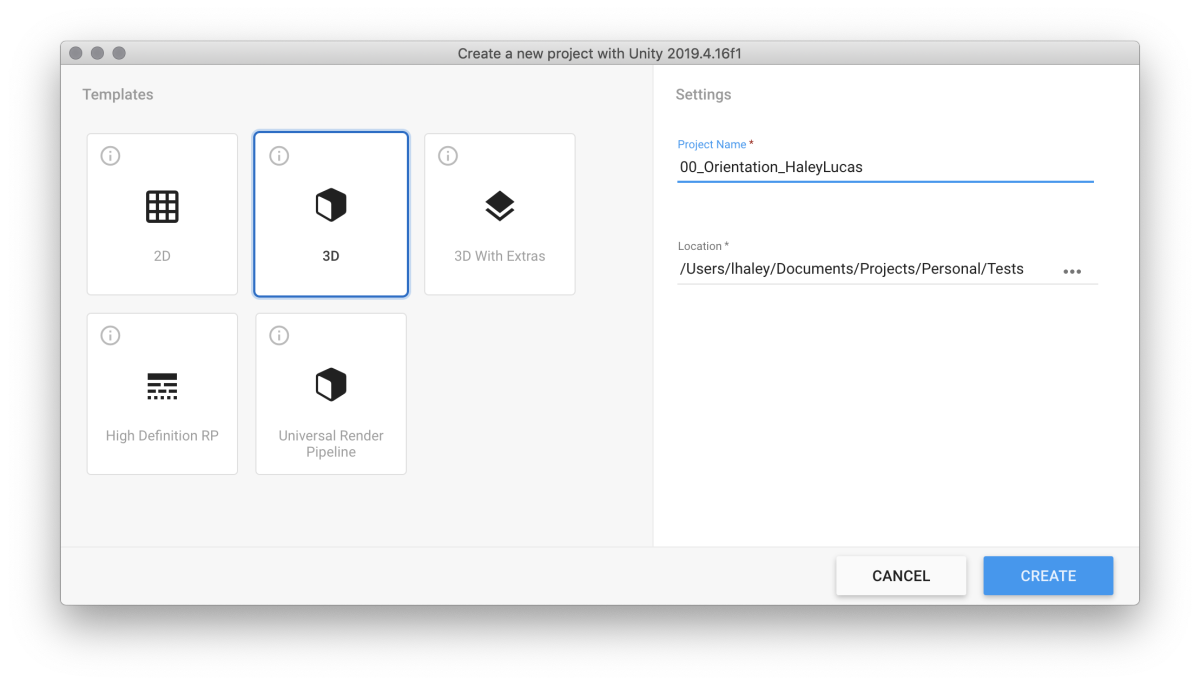
Next, in Unity, set up everything you want set up. In my case, I like to make the project directories, add some packages, and the like.
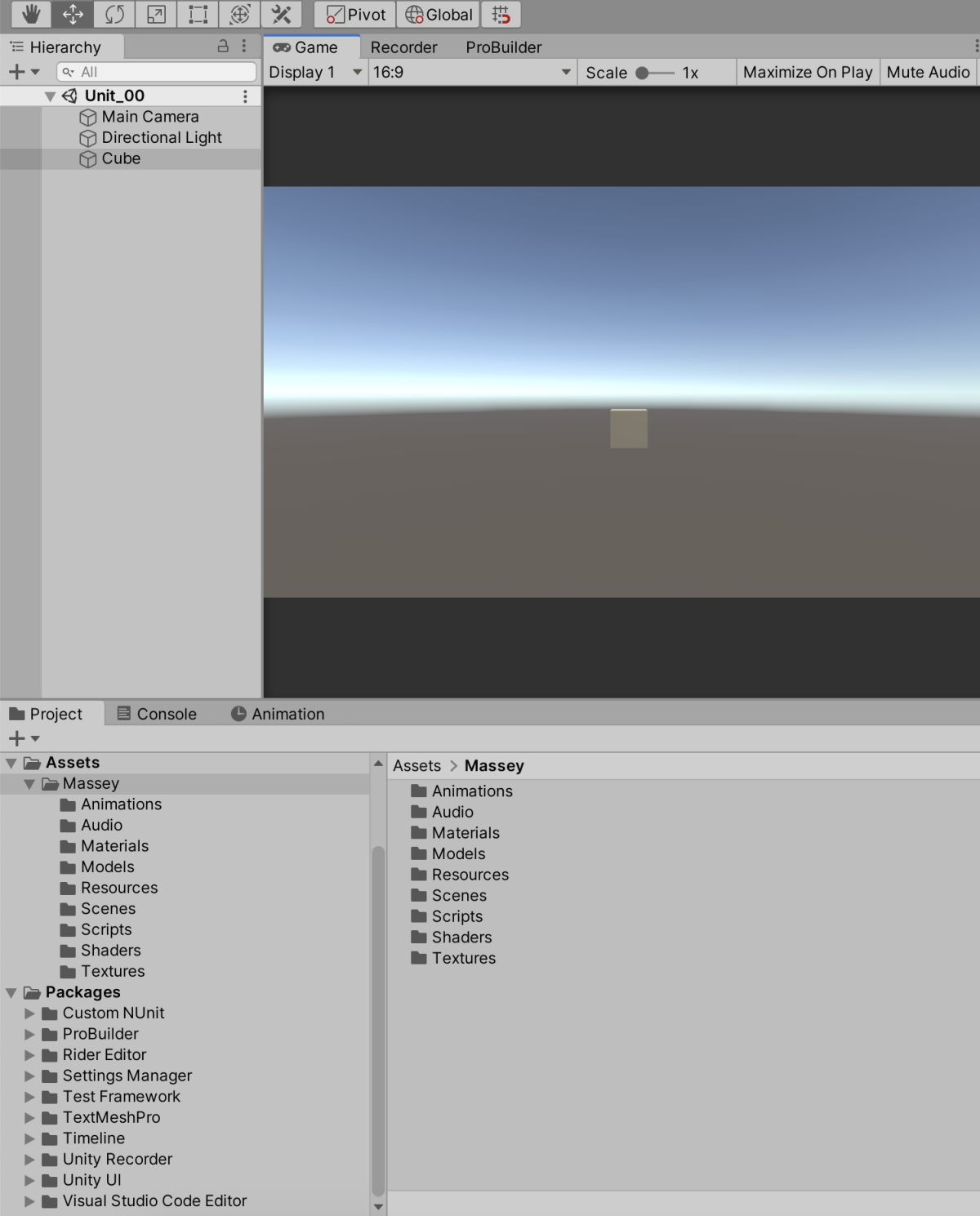
Make a note of the path to the default scene you'd like to have in the template. You'll need it later.
Save your project.
Setting up the template
Now we'll need to turn the project into a template. I like to make a copy of the project, so I have a full version to make edits to.
In the new copy, remove all files and directories except for ProjectSettings, Packages, and Assets.
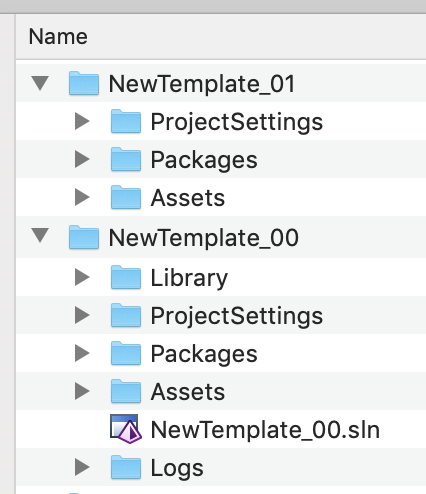
Next, change the name of the project directory to ProjectData~, and put it into a new directory called package.
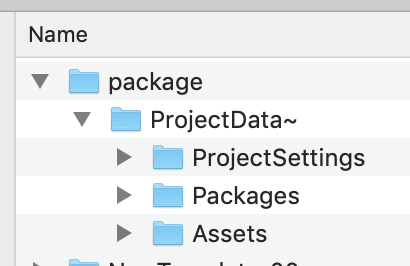
Add a new file to the topmost directory, and name itpackage.json.
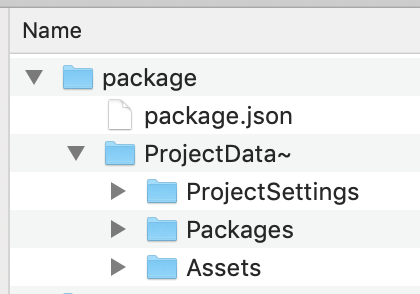
The basic contents of this package looks like this:
{"name": "com.unity.template.massey","displayName": "Massey","version": "0.0.1","type": "template","unity": "2019.4","description": "Use this template in Massey courses.","dependencies": {}}
Edit as needed.
You can also make a link to a Github repo for updating, but that's beyond the scope of this tutorial.
Inside of the the ProjectSettings directory, remove ProjectVersion.txt. It makes Unity Hub barf if it's still there.
Lastly, in ProjectSettings/ProjectSettings.asset, edit the templatePackageId and templateDefaultScene lines as needed.
Creating the template archive
Your template is now ready to go. The last things we need to do are to turn it into an archive, and put it in the right place for Unity Hub to find.
To make the archive, you need to turn the entire package directory into a zipped tar. The easiest way of doing this is from the command line. On Mac, this command looks like:
tar czf com.unity.template.massey-0.0.1.tgz package/
Make sure to change com.unity.template.massey-0.0.1.tgz to your own template name and version.
Then copy it into the Unity version you've made it for.
On a Mac, the correct directory is
/Applications/Unity/Hub/Editor/2019.4.16f1/Unity.app/Contents/Resources/PackageManager/ProjectTemplates
and on Windows I believe its:
\Program Files\Unity\Hub\Editor\2019.4.16f1\Editor\Resources\PackageManager\ProjectTemplates
where the version number changes as needed.
In action
And that's it! Check to see it in action: